Designing Sonosite’s first cloud-based tool for the customer to monitor the status of their ultrasound devices.
Overview
I participated in a pilot project to develop a cloud-based remote management portal for users of Fujifilm Sonosite's ultrasound systems. This portal allows users to monitor their devices' status remotely and deliver software updates to ultrasound machines.
Role & Contributions
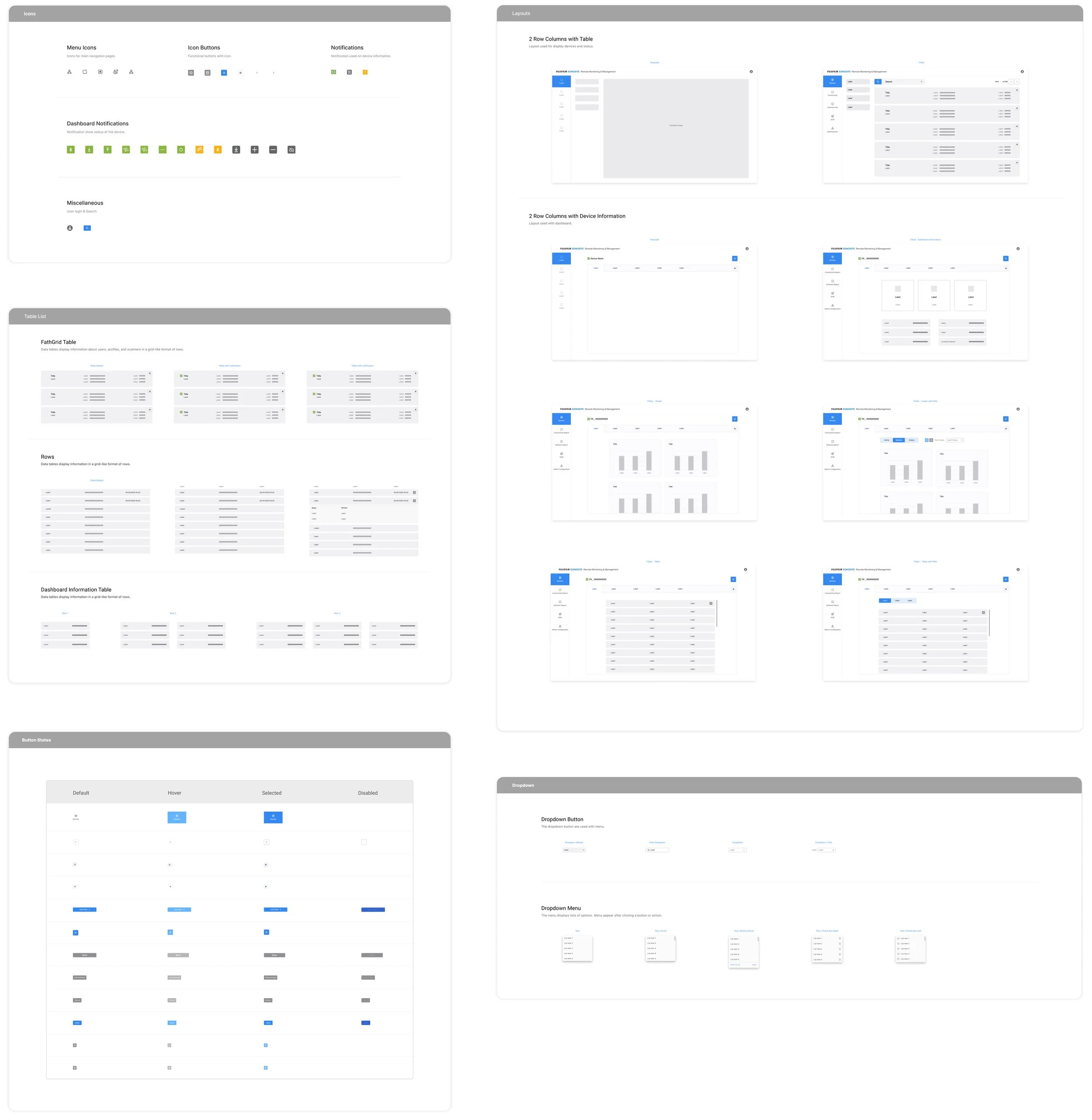
My primary responsibility was to provide the overall visual direction for the portal's user interface. I collaborated closely with the UX designer to define the overall user experience and to strategize the creation of reusable interaction patterns and components that would contribute to the development of the portal's design system.
Design Guidelines
Follow the Fujifilm corporate design standards for style guideline.
UI will be created on ThingWorks Industrial IoT platform software. (This gave our team some restriction on creating custom layouts and components.)
UI will be designed for desktop and laptop screen sizes. Mobile screen sizes are not in the scope.
Defining Project Scope
To meet the project timeline, our team had to scale back the scope of work and decided to focus on the area of the product that would have the most impact on our users and on how much improvement we could make within the time and technical constraints.
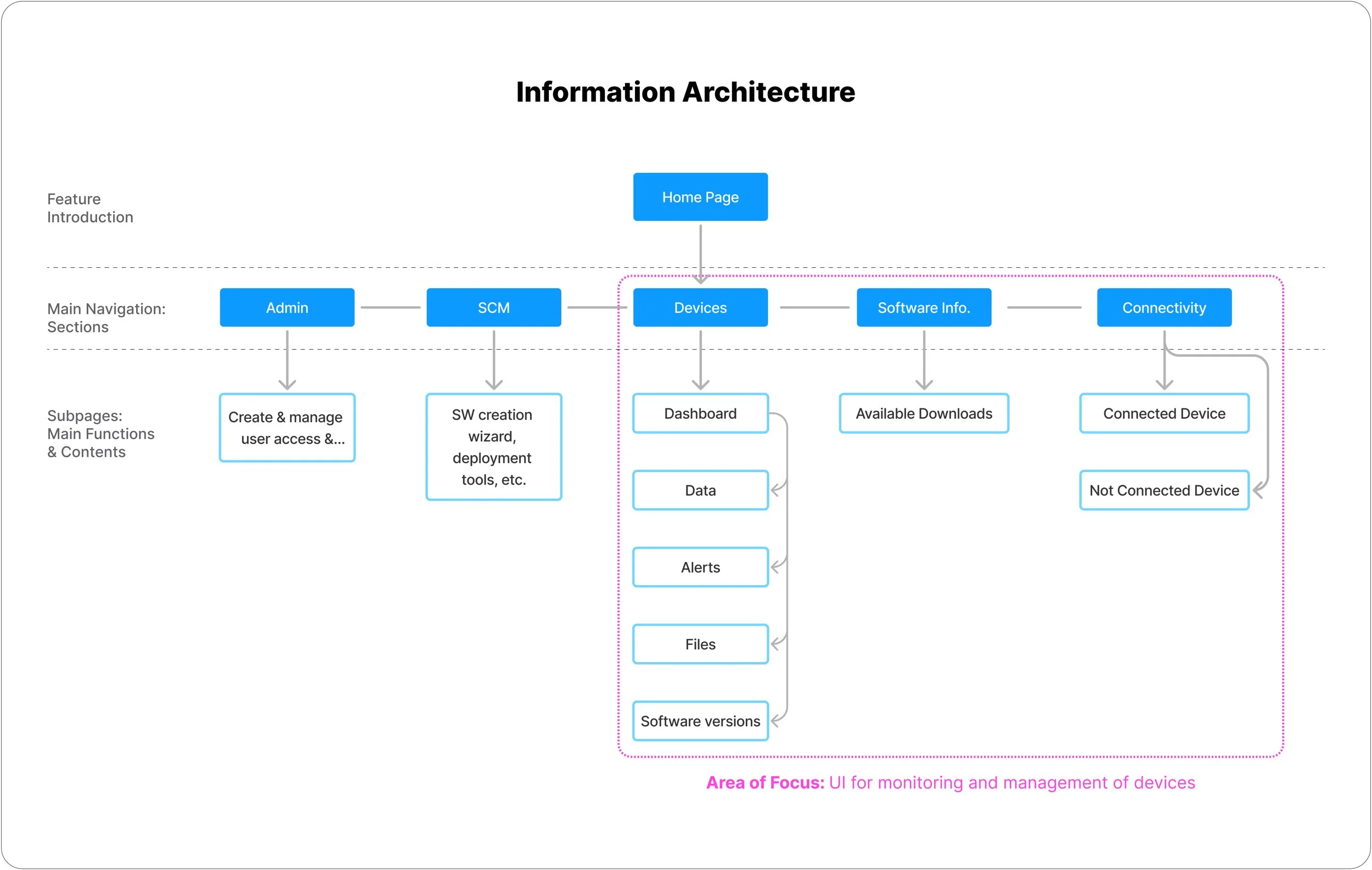
There are 3 major uses for remote monitoring management:
Allows the user to remotely monitor device status and deliver software updates.
Allows users to create hierarchies, assign roles, and assign device access for users within their institution.
Allows the user to use the software package wizard, deploy software, etc.
Understanding Users
3 different users will utilize the remote monitoring management application. As our team focuses on designing the UI for device management in this pilot version, we aimed to understand the needs of institutional users.

User Flow
To further define users’ actions, we conducted user interviews and created user flows for different features to gain a better understanding of how users will use it.

Existing Wireframe Audit
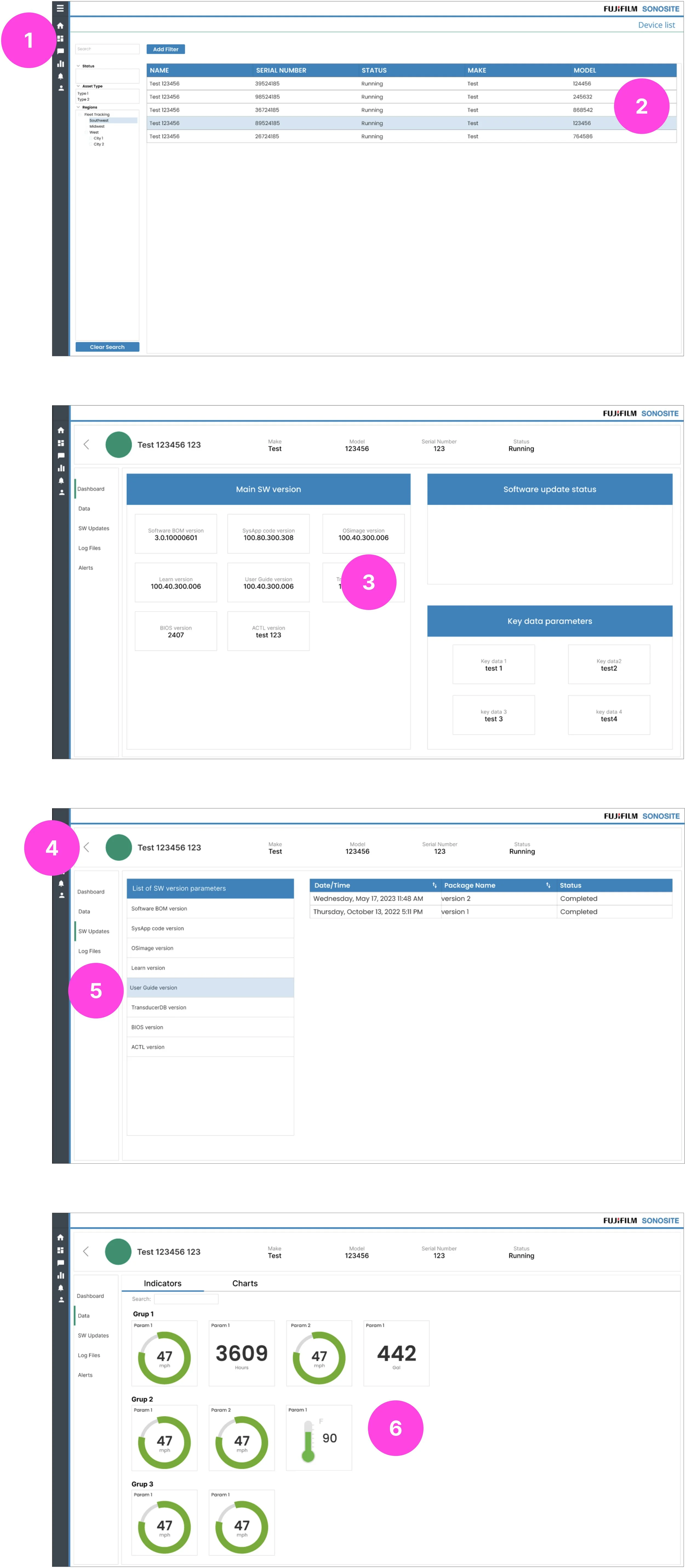
Our team worked with an external development company that built the RMM portal on the ThingWorx IIOT platform. We audited the design from the external development team and came up with opportunities to improve UX and visual design.
Areas of Opportunities:
1.Clearer call to action for search and filter feature.
2. Improve readability and scan-ability of information.
3. Improve visual hierarchy of information. Make important information easily scannable.
4. Make navigation quickly scannable to understand which links are primary, secondary, and tertiary navigation.
5. Make interaction cues clearer and consistent.
6. Icons and graphics needs to be simple and intuitive to understand.
Initial Design Exploration
Layout Exploration

Responsive Design Layout

Wireframe

Design Refinement
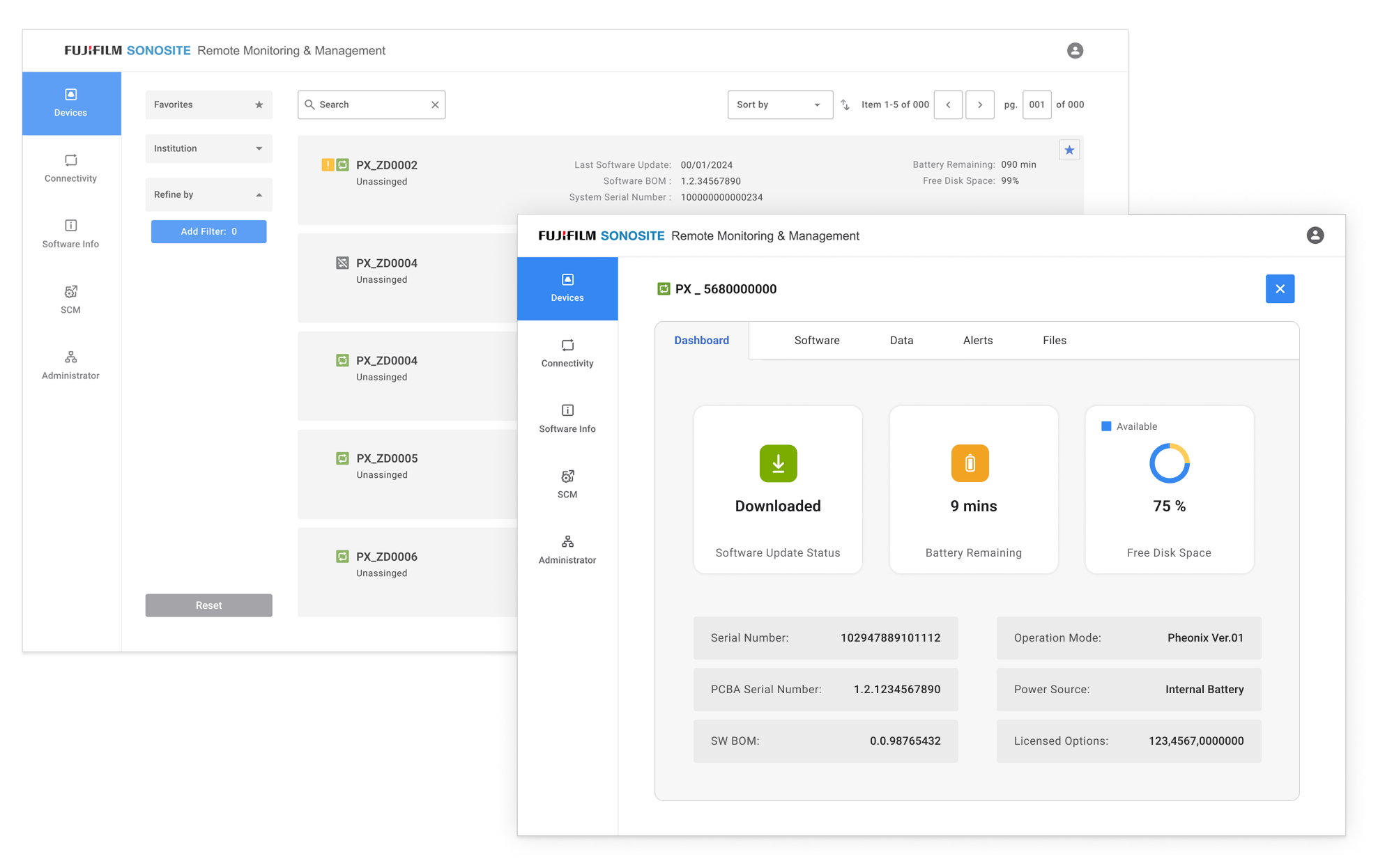
Final Screen Designs
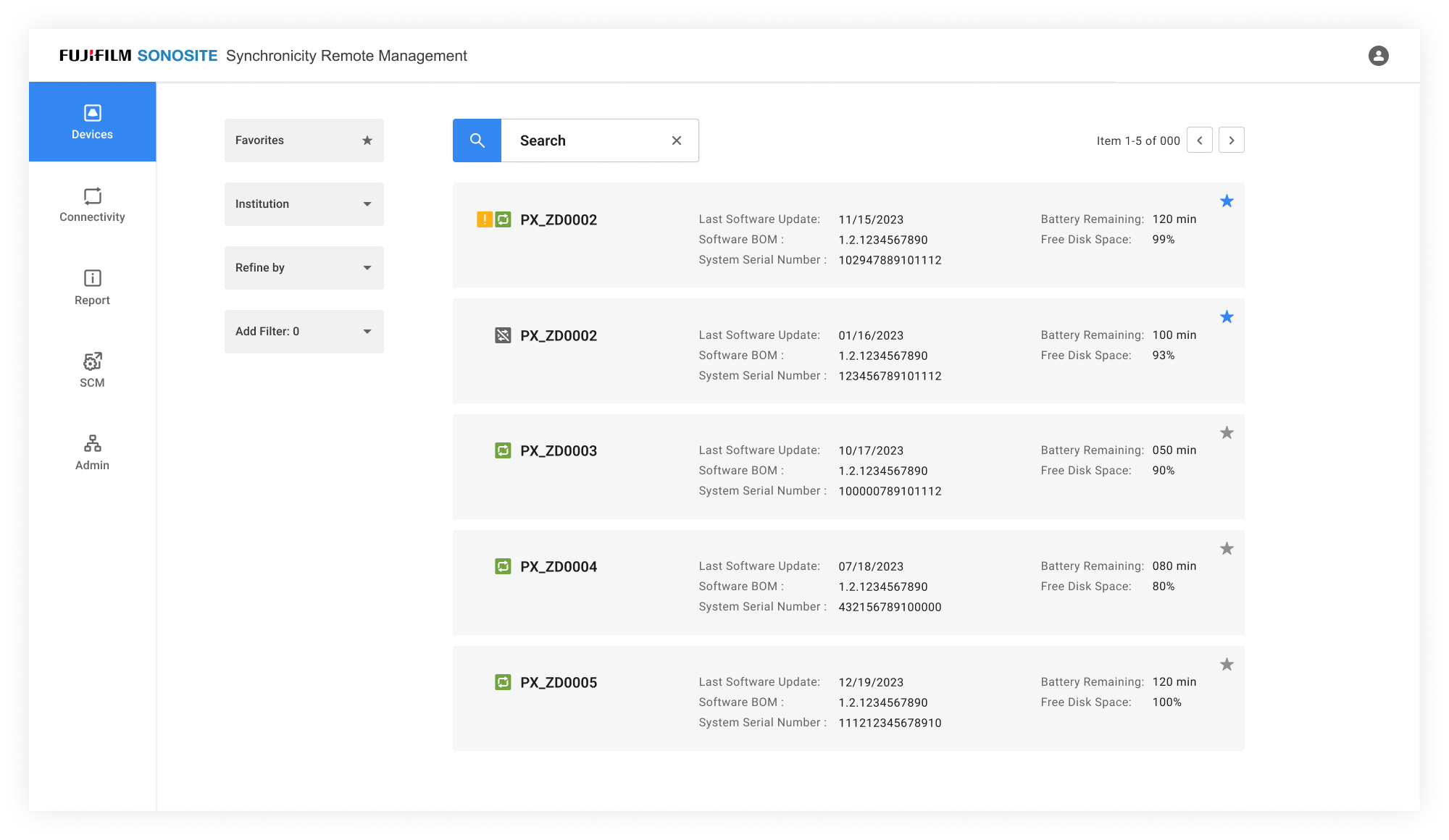
Landing screen- displays a list of devices and allows users to search for a device to get status information
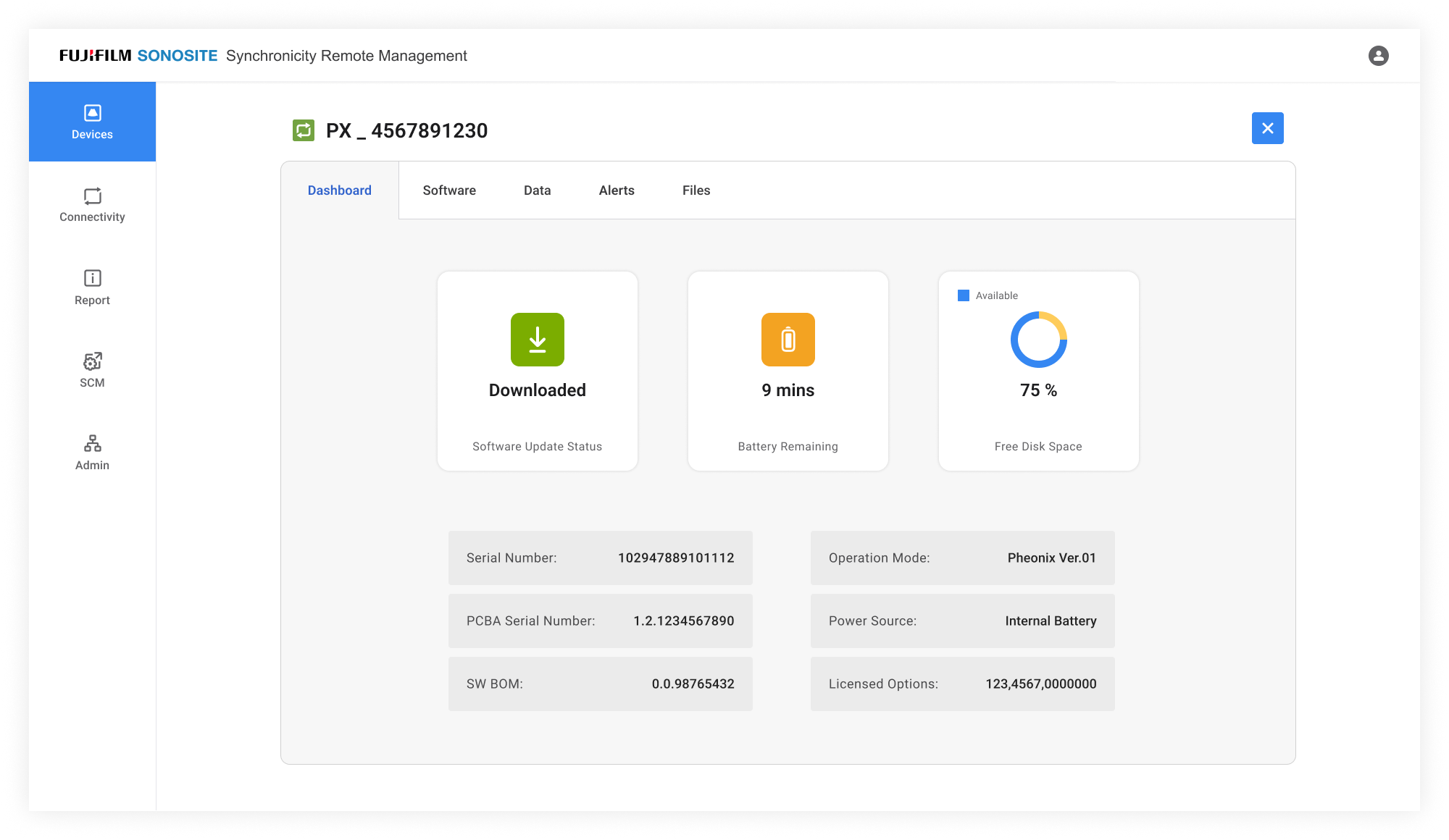
Device Dashboard- displays device status and notification

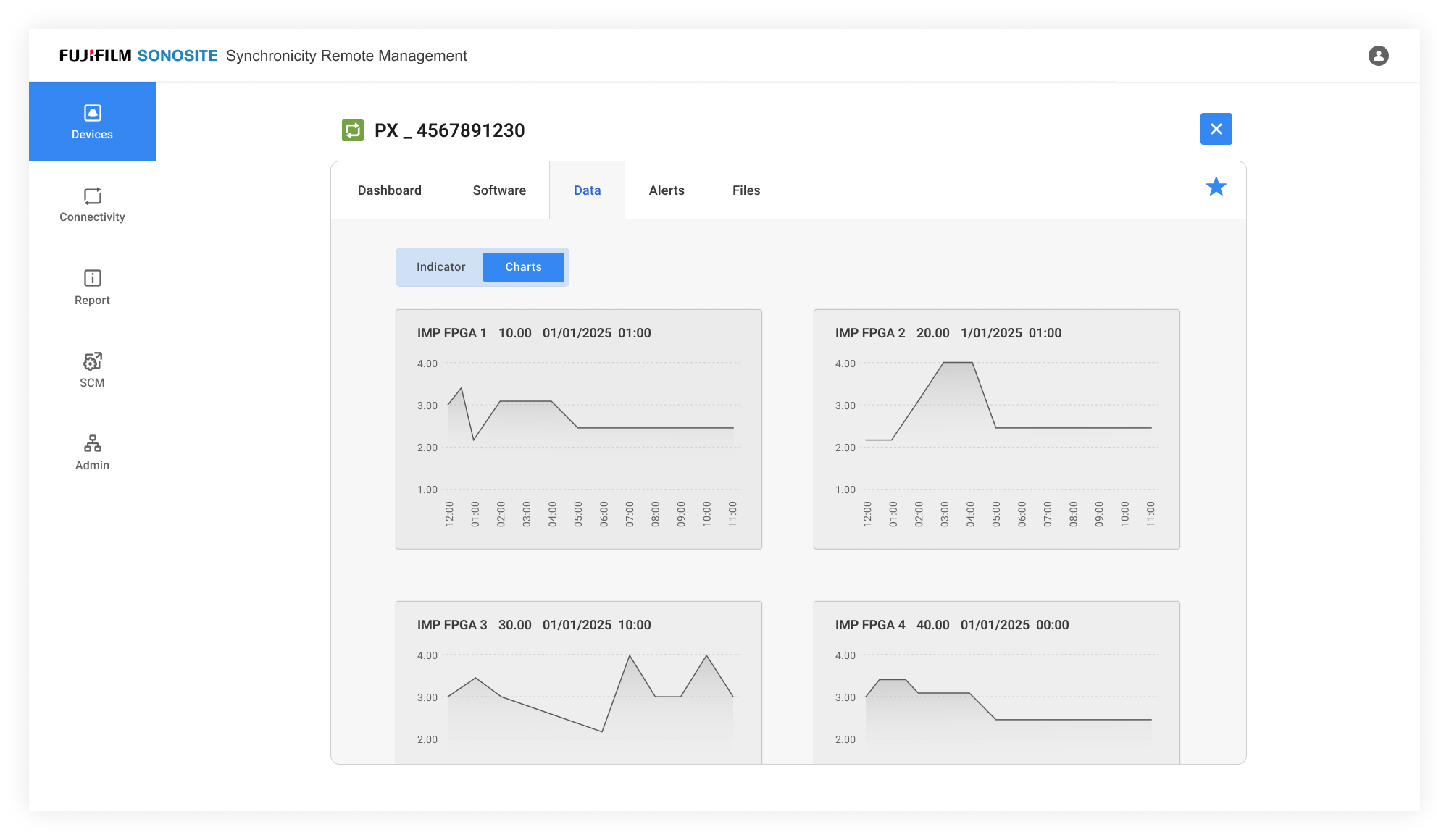
Data- displays data regarding device hardware status (ex.temp)

Software Version- displays software dowloaded on device

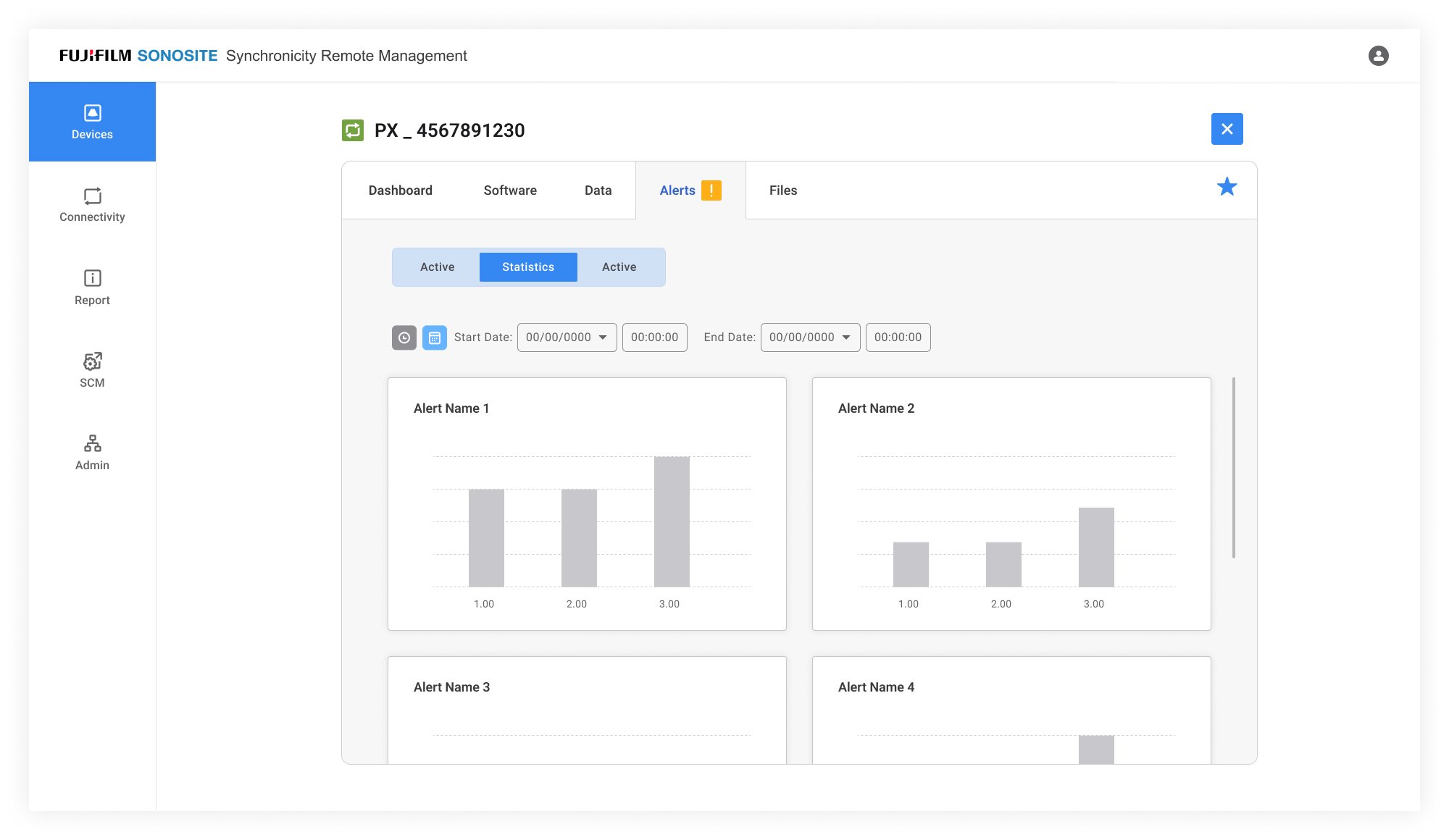
Alerts- displays alert notification for the device
Design system
Visual Design Pattern